
Le 2 juillet 2026
Artificial Intelligence and Digital Data Practices in Research
Research data management et Open Data


Depending on your discipline and research design, the data you collect can vary widely in type, format, and volume.
Back to Managing Your Research Data
Back to RDM Home page
This page outlines key considerations to help you manage these differences effectively throughout your research lifecycle.
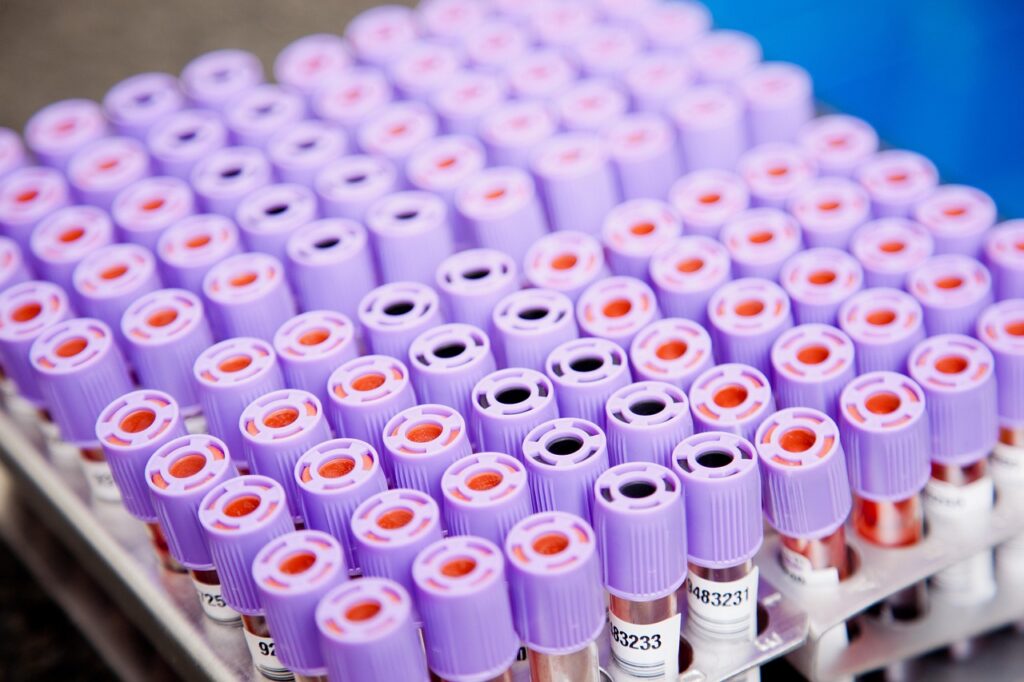
Research data often comes as digital files containing numbers or text, but it may also include non-digital or non-standard data formats—such as sound recordings, high-resolution images, video, biological samples, or archaeological artefacts.
Digital files may be:
Regardless of data format:
The volume of data refers to the number of data points, items, or observations you collect—not just their total size in megabytes or gigabytes. Volume influences:
Examples:
Anticipating volume helps:
Data size refers to the amount of digital storage space your data occupies. This has direct implications for:
Estimate storage requirements in MB, GB, or TB at different project stages. Plan ahead for growth, especially in data-intensive disciplines like genomics, digital imaging, or remote sensing.
Choose efficient file formats for large datasets. Compressed or binary formats can optimize performance without loss of fidelity.
Choosing the right file format ensures long-term usability, interoperability, and preservation. Favor:
When proprietary software is required (e.g., .sav, .psd, .mat), also produce:
Selection criteria include:
Follow these best practices:
Recommended universal backup formats: .csv, .tab, .txt, .rtf
> Need help choosing a format? Consult DMP – data formats for preservation
Correctly identifying variable types improves how your data is interpreted and analyzed by software tools.
Quantitative variables
Qualitative (categorical) variables
Many tools also support:
Clearly documenting variable types ensures accurate processing, facilitates interoperability, and supports statistical integrity.
Certain research disciplines use specialized file formats that already integrate structured metadata directly within the file. These formats:
Common examples by discipline:
| Discipline | Format | Metadata Features |
| Social Sciences | DDI (.xml) | Documents study-level metadata, variable-level details, methodology |
| Genomics / Bioinformatics | FASTQ, BAM, VCF | Includes sequencing information, read quality, genome annotations |
| Geospatial Sciences | GeoTIFF, NetCDF, Shapefile | Captures geolocation, spatial resolution, time stamps |
| Digital Humanities | TEI (.xml) | Encodes text structure, annotations, provenance |
| Engineering / CAD | STEP, IGES, DXF | Stores design metadata, units, geometry standards |
| Astronomy | FITS | Integrates metadata headers with observational data |
| Imaging (Medical) | DICOM | Embeds patient, modality, and capture metadata |
| Environmental Science | HDF5, NetCDF | Handles multidimensional sensor datasets with metadata |
Back to Managing Your Research Data Back to RDM Home page
Le 2 juillet 2026

Le 2 juillet 2026

Le 16 juin 2026

Le 27 janvier 2026

Le 21 janvier 2026
Le 20 janvier 2026
Le 20 janvier 2026

Le 20 janvier 2026

Le 16 janvier 2026

Le 16 janvier 2026

Le 16 janvier 2026

Le 16 janvier 2026

Le 27 novembre 2025

Le 27 novembre 2025

Le 27 novembre 2025

Le 26 novembre 2025

Le 13 novembre 2025

Le 13 novembre 2025

Le 13 novembre 2025
Le 13 novembre 2025

Le 13 novembre 2025
Le 13 novembre 2025

Le 13 novembre 2025
Le 13 novembre 2025

Le 13 novembre 2025

Le 13 novembre 2025

Le 13 novembre 2025
Le 4 novembre 2025

Le 4 novembre 2025
Le 4 novembre 2025
Le 4 novembre 2025

Le 15 octobre 2025
Le 3 octobre 2025

Le 18 septembre 2025

Le 18 septembre 2025

Le 17 septembre 2025

Le 15 septembre 2025

Le 16 mai 2025

Le 16 mai 2025

Le 16 mai 2025